 Popcorn
Turn your movie folder into a cinema.
Popcorn finds the movies and shows already on your Mac, adds posters and details, and plays them in one calm, beautiful app. No accounts, no subscriptions, nothing uploaded.
Download for Mac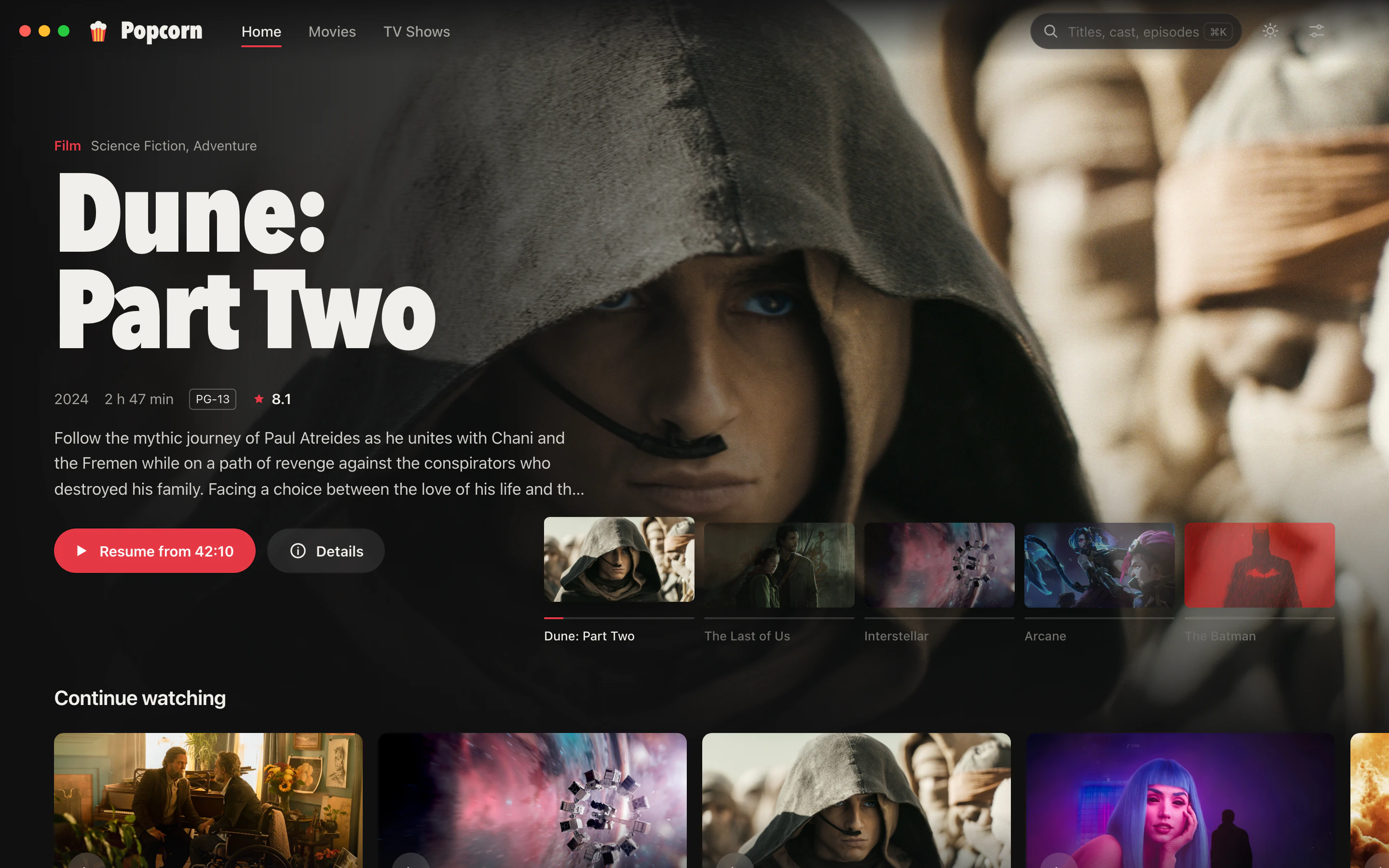
Everything a movie night needs. Nothing it doesn’t.
Your files stay exactly where they are. Popcorn reads them, makes them look wonderful, and gets out of the way when the lights go down.
-
Your folder is the library
Point Popcorn at one folder. It finds every movie, groups episodes into shows and sorts the seasons, even when they’re scattered across subfolders. New files appear on their own.
-
Posters, cast and stories
Artwork, descriptions, ratings and cast come from TMDB and are saved on your Mac, so your library looks complete and keeps working offline.
-
Plays almost anything
The built-in player runs on mpv, so MKV, HEVC, AV1, 4K and HDR just work. Switch subtitles and audio tracks, or drop in your own
.srtfile. No VLC needed. -
Picks up where you left off
Resume any movie to the second, see what’s half-watched on the home screen, and let the next episode start by itself.
-
Light as a kernel
Under 10 MB to download. Starts fast, idles at almost nothing, and decodes video on your Mac’s own hardware so it stays cool and quiet.
-
Private, and open source
No account, no tracking, no cloud. Your files never leave your Mac, and every line of code is on GitHub under GPL-3.0.
Three steps to movie night.
No media server and no sign-up. Just your folder and a good film.
-
Step 1
Install Popcorn
Open the download and drag Popcorn into your Applications folder.
-
Step 2
Choose your folder
Pick where you keep movies and shows. Add a free TMDB key for posters and details, or skip it.
-
Step 3
Press play
Pick something and watch it right there, full screen. Press Space to pause.
- MKV
- MP4
- MOV
- AVI
- WebM
- H.264
- HEVC
- AV1
- 4K
- HDR
- SRT
- ASS
- DTS
- 5.1
Grab the popcorn.
Free forever. One small download, and your whole collection is ready to watch.
 Admit one
- Size
- 8.7 MB
- Chip
- Apple Silicon
- System
- macOS 13+
- Price
- Free
# open source under GPL-3.0 · needs Rust and the Tauri CLI$ git clone https://github.com/dizzpy/Popcorn$ cd Popcorn$ ./scripts/build-libmpv.sh$ cargo tauri build --target aarch64-apple-darwin --bundles dmg
First time opening it?
- Right-click Popcorn in Applications
- Choose Open
- Click Open again. That’s it.
Popcorn isn’t notarized by Apple yet. On macOS 15 or newer, use System Settings → Privacy & Security → Open Anyway.
Is Popcorn really free?
Yes. It’s free and open source under GPL-3.0. There are no ads, no subscriptions and no paid tier.
Does it stream or download movies?
No. Popcorn plays video files you already have on your Mac. It doesn’t search for, stream or download movies.
Are my files uploaded anywhere?
Never. Your files are only read, never moved or copied. The only thing that goes online is a title lookup on TMDB to fetch posters and details.
Do I need a TMDB key?
Only for posters and details. A key is free from themoviedb.org and takes a couple of minutes to get. Without one, Popcorn still finds and plays everything, using generated artwork.
macOS says Popcorn can’t be opened. What now?
The app isn’t signed with a paid Apple developer certificate yet. Right-click Popcorn in Applications and choose Open, or go to System Settings, Privacy and Security, and click Open Anyway.
Will there be Windows or Linux versions?
They’re planned once the Mac version is stable. Watch the GitHub repository to hear when they land.